Self-Hosted Google Analytics Alternatives: How to Pick and What It Costs

A self-hosted Google Analytics alternative is a web analytics tool you run on your own server — your VPS, your database, your data — instead of pushing visitor data into Google’s cloud. The intent behind that search is almost always the same: you want the numbers without handing the raw data to Google, and you’re willing to run something yourself to get there. This page is the decision layer for that choice. Pick the tool that matches your traffic and your appetite for ops, then jump straight to the recipe that deploys it.
I’ll be blunt about one thing up front, because most listicles dodge it: there is no “self-hosted Google Analytics.” GA4 is SaaS-only. What you’re actually choosing is an open-source analytics tool that runs on your own box — Plausible, Matomo, Umami, PostHog, GoatCounter and a second tier of newer projects worth knowing about. Each one costs something real to run, and that number is the part nobody quotes. So that’s where we’ll spend the time.
Why people search for a self-hosted Google Analytics alternative
The pull toward self-hosted analytics clusters around three motivations, and they overlap more than they conflict.
Data ownership. With GA4, the raw hit-level data lives in Google’s BigQuery export at best, and in Google’s sampled UI at worst. You don’t get the rows; you get Google’s aggregation of them. Self-hosting flips that: the events land in your ClickHouse or MariaDB, queryable with SQL, exportable, deletable, yours. That’s the core decision driver, and it’s the one GA4 can’t answer at any price.
GDPR and EU compliance. Since the 2022 CNIL and Austrian DSB rulings against Google Analytics, EU site owners have been nervous about sending visitor data across the Atlantic. A self-hosted tool on an EU VPS keeps the data in-region and, for the cookieless ones, never sets a tracking cookie in the first place — which sidesteps the consent-banner problem entirely. More on that below, because “GDPR-compliant by default” is a claim that needs an asterisk.
Cost and control at scale. GA4 is “free” until you hit the sampling ceiling or want the un-sampled BigQuery export, and the privacy-first cloud tools bill per pageview — fine at small scale, a real line item once you’re past a few hundred thousand pageviews a month. Self-hosting trades a monthly SaaS bill for a fixed VPS bill that doesn’t scale with traffic the same way.
If those three resonate, you’re in the right place. If you just want a privacy-friendly tool and don’t care about running a server, you don’t need this page — a cloud tier will serve you better, and I’ll say so again in the section on when self-hosting is the wrong call.
First, the honest correction: you cannot self-host GA4 itself
This trips up a surprising number of searches — “self hosted google analytics,” “google analytics on premise” — so let’s clear it once. Google Analytics 4 is a closed, hosted SaaS product. There is no on-premise edition, no source code, no downloadable server, no license you can buy to run it in your own datacentre. Universal Analytics never had one either. When people say “self-hosted Google Analytics,” they mean one of two things:
- A Google Analytics alternative that is open source and self-hostable — the real answer, and the rest of this page.
- A self-hosted tag manager or server-side proxy that still forwards data to Google’s cloud. That’s a different problem, and it doesn’t give you data ownership — the data still ends up in GA4.
So the corrected question is: which open-source analytics tool do I self-host to replace what GA4 does for me? Owning that correction matters — it’s the difference between chasing a product that doesn’t exist and shipping one that does.
What self-hosted analytics buys you that GA4 cannot
Strip away the marketing and self-hosted analytics buys you exactly three things. Every tool below is built on the same bargain, so it’s worth being precise about what the bargain is.
First-party data, full fidelity. Every event hits your own server first. No sampling thresholds, no “this report is based on N% of sessions,” no data-retention caps imposed by someone else’s pricing tier. You hold the first-party data and you decide how long it lives. For anyone who’s watched a GA4 report quietly switch to sampled mode at the worst moment, this alone is the reason.
A real GDPR posture. Data on an EU VPS never leaves the EU, so the cross-border-transfer problem that sank GA4 in several DPA rulings simply doesn’t arise. Several of these tools set no tracking cookie and keep no persistent visitor identifier, which means no consent banner is legally required under most EU interpretations. The asterisk: self-hosting doesn’t make you compliant automatically — you still switch on IP truncation and set a retention period. It removes the hardest problem, not all of them.
Control of the stack. Open source means you can read the code, patch it, query the database directly, and never get held hostage by a pricing change or a sunset email. The trade is that you’re now the ops team. That’s the whole bargain of self-hosting: you swap a vendor’s risk for your own maintenance.
The candidates, by what they cost to run
Here’s the field, sorted roughly from cheapest-to-run to heaviest. Each one maps to a tested deploy recipe on this site — the blocks below tell you what it takes to run it yourself, not how to click around the dashboard. For the actual install, follow the recipe link.
One note on the numbers before the table. Hetzner retired the CX22 / CX32 / CX42 line for new orders on 1 January 2026 and replaced it with CX23 / CX33 / CX43 at the same specs, then raised cloud prices on 15 June 2026. Every euro figure on this page is the current list price for the plan you can actually order today, ex VAT. If you’re reading an older self-hosting guide that quotes a €3.79 CX22, that box is no longer on the menu. Worth knowing before you shop: the CX and CAX plans are built on older hardware in deliberately limited supply, and on 13 August 2026 Hetzner listed the whole Cost-Optimized line as unavailable for new orders. When that happens the fallback is the CPX line at roughly three to four times the price — CPX22 at €19.99/mo against the CX23’s €5.49.
| Tool | License | RAM floor | Where it runs | Real cost | Best for |
|---|---|---|---|---|---|
| Umami | MIT | ~256 MB | Vercel + Neon serverless, or any VPS | free tier | Personal sites, side projects |
| GoatCounter | EUPL-1.2 | ~128 MB | Smallest VPS, single Go binary | €5.49/mo | Hobby sites, minimal footprint |
| Plausible CE | AGPL-3 | ~2 GB incl. ClickHouse | Hetzner CX23, Docker | €5.49/mo | The sensible default for most sites |
| Matomo | GPLv3 | ~2–4 GB | Hetzner CX33, PHP + MariaDB | €8.49/mo | GA4 feature parity: goals, funnels, ecommerce |
| PostHog | MIT | ~16 GB | Hetzner CX43, Docker with ClickHouse + Postgres + Redis | €15.99/mo | Product analytics, not just web stats |
Plausible CE — the cheap, lightweight default
Plausible Community Edition is what I recommend to most people, and not by accident: it gives you the privacy-first, cookieless, single-screen analytics that most sites actually use, with a resource footprint small enough to run on the cheapest serious VPS. It’s AGPL-3 licensed, so the self-hosted Community Edition is genuinely free — the catch with AGPL is that if you modify the code and offer it as a service you owe those changes back, which doesn’t affect normal self-hosters at all.
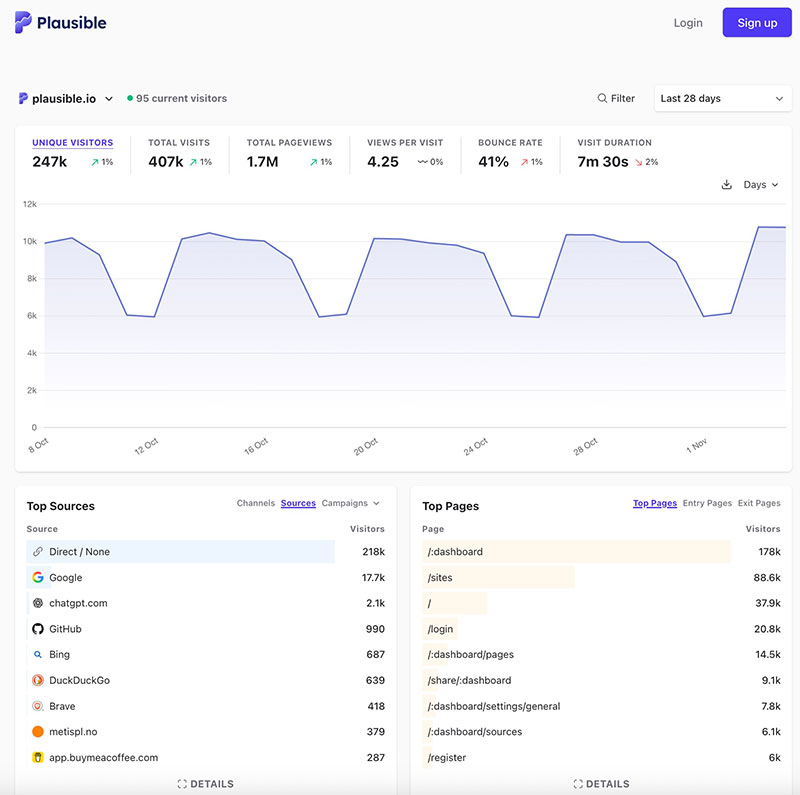
To run it yourself you need a box with about 2 GB of RAM, because Plausible CE bundles ClickHouse under the hood. A Hetzner CX23 (2 vCPU / 4 GB) at €5.49/mo (Hetzner Cloud pricing) handles any site under roughly 5M events a month comfortably. You stand it up with Docker Compose behind Caddy for auto-HTTPS. When you’re ready, follow the recipe to install Plausible on a Hetzner box; it’s about 20 minutes start to finish. Its deliberate limits are the trade: no heatmaps, no session replay, and the deeper reporting features live on the paid cloud tiers rather than in CE.
Matomo — the GA4 feature-parity heavyweight
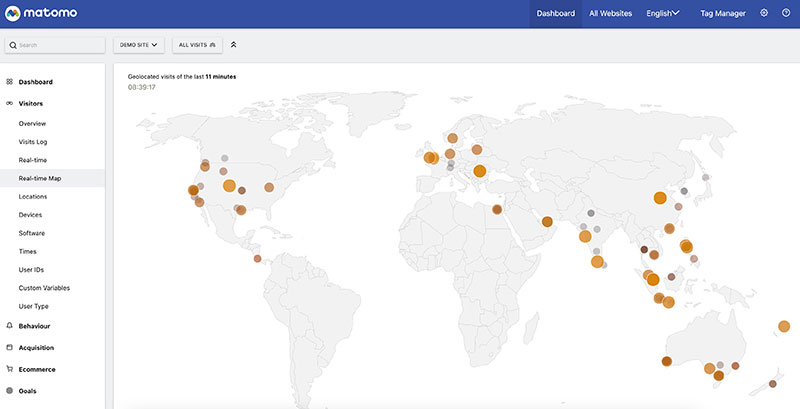
If you came to self-hosting because you’d miss GA4’s features — goals, multi-touch attribution, funnels, ecommerce revenue, the GA4 data importer, even heatmaps and A/B testing via paid plugins — Matomo is the open-source tool that matches them one for one. It’s GPLv3, PHP 8.3 + MariaDB, and it’s the heaviest of the pure web-analytics options. Budget 2–4 GB of RAM depending on traffic. For shops specifically, see our Matomo ecommerce tracking guide, which covers WooCommerce hooks, Shopify Admin API webhooks, refund workarounds, and the SQL queries that beat the dashboard on high-volume stores.
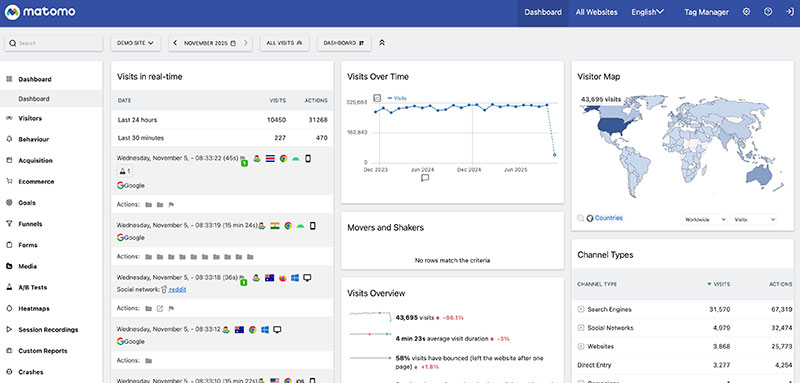
The honest trade is operational weight: PHP plus a relational database means more moving parts to patch and tune than Plausible’s appliance-like Docker stack, and the archiving cron is the thing that bites people at volume. A Hetzner CX33 at €8.49/mo is the practical floor. If you genuinely need conversion attribution or ecommerce reporting and Plausible’s minimal feature set won’t cut it, this is the pick — here’s how to self-host Matomo with MariaDB and Caddy.
Umami — minimal, fastest to stand up
Umami is the smallest tracker in the field: a sub-21 KB script, a clean single-page dashboard, MIT licensed. Its party trick is that you don’t even need a server — it deploys to Vercel’s free tier with a Neon Postgres database, which means no monthly bill at all at indie scale. That makes it the lowest-friction self-host setup that exists. No cookies, no persistent visitor identifier, and you own every byte.
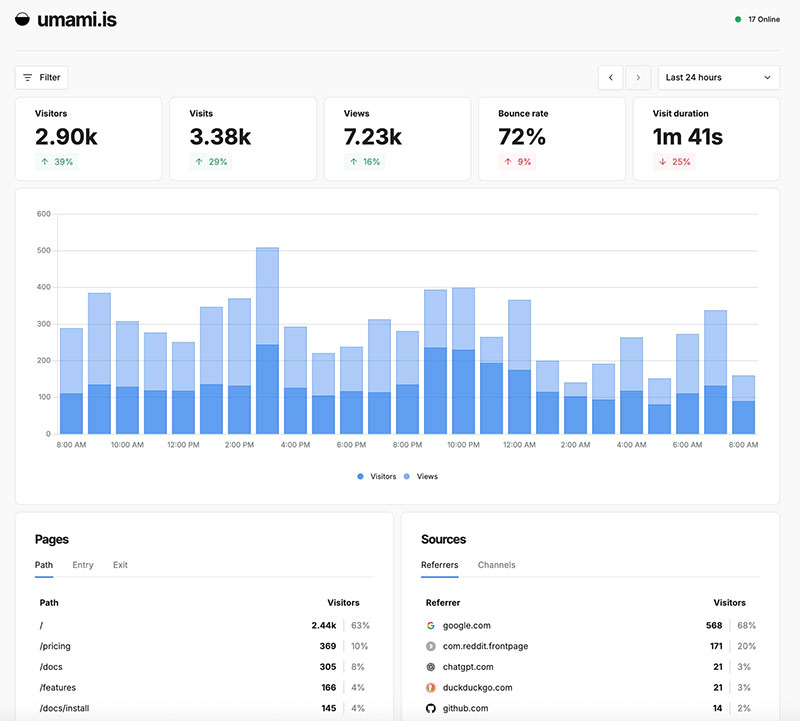
The trade-offs are real, though, and they’re the reason it’s not my universal default. On Vercel’s free tier your data sits on US infrastructure unless you pay for EU edge, which dents the EU-residency angle; the feature set is spartan, with basic segmentation and custom events but no heatmaps, no session replay, no deep funnels; and you’re trusting two SaaS providers for hosting even though the code and data remain portable. For a personal site or a side project where you want pageviews, sources and a handful of custom events, it’s perfect. Here’s how to deploy Umami on Vercel + Neon in about five minutes.
PostHog — product analytics, not just web stats
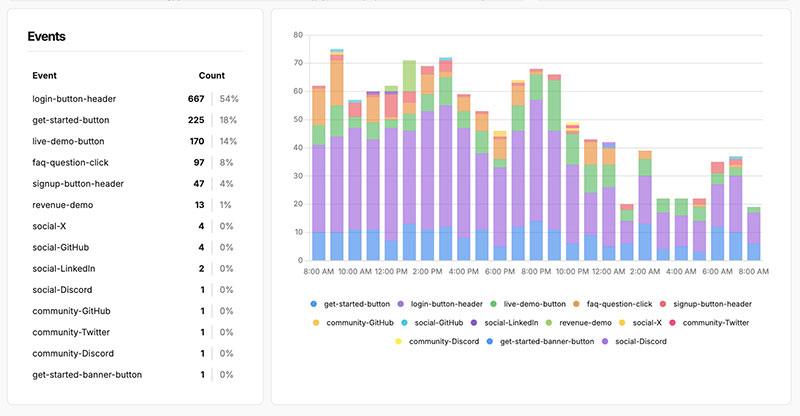
PostHog is the odd one out, because it isn’t a Google Analytics alternative in the pageviews sense — it’s product analytics: cohorts, funnels with conversion windows, session replay, feature flags, A/B tests, surveys, and SQL access to your event data. MIT licensed. Choose it only if you’re tracking product behaviour in an app or SaaS, not just measuring a content site.
The cost of that power is resources. PostHog’s self-host stack is ClickHouse + PostgreSQL + Redis + the app, which wants around 16 GB of RAM. A Hetzner CX43 at €15.99/mo is the realistic floor, and it’s the heaviest recipe in the library. If “I want to replace GA4 on my blog” is the job, this is overkill; if “I want Amplitude or Mixpanel but on my own server” is the job, this is exactly it — run PostHog in Docker.
GoatCounter — the genuine minimalist
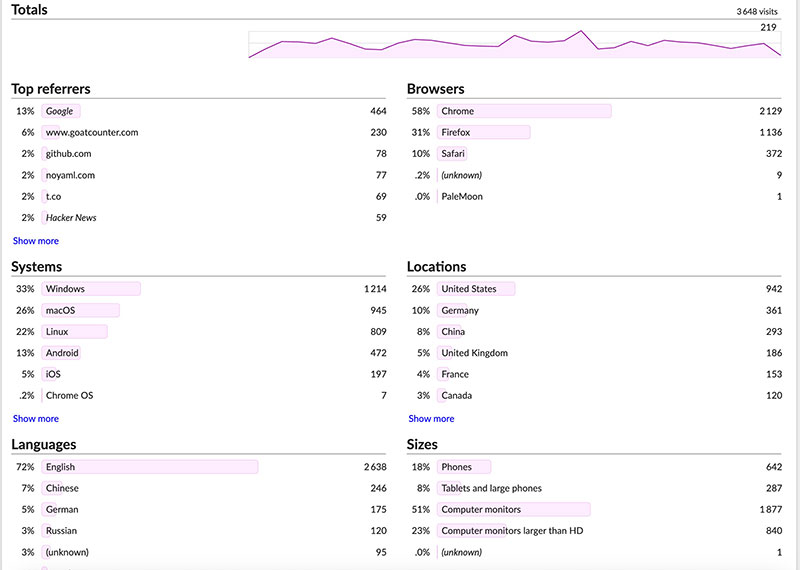
GoatCounter deserves a mention as the smallest credible option. It’s a single Go binary, EUPL-1.2 licensed, so the RAM floor is tiny — SQLite is enough for small sites and there’s no Docker and no database server to babysit. It does pageviews, referrers, campaign sources and basic browser and location breakdowns, and stops there by design: no funnels, no live visitor view, no session tracking. The cheapest x86 box on Hetzner is now the same CX23 at €5.49/mo, so the old “$5 hobby tier” framing has quietly stopped being a discount. If your goal is the absolute lightest self-hosted counter and you will never need funnels, GoatCounter is the answer; for most people Plausible CE is the better default at the same monthly price.
Six more open-source options worth knowing
The five above cover the decision for almost everyone, and each has a tested recipe here. But the open-source analytics field is wider than five tools, and a few of the newer projects are genuinely good at something the defaults aren’t. Treat this section as a shortlist to research, not as five more recipes — and read the maintenance signal in each one, because a young project with a stalled repository is a liability on your own server.
Rybbit — visual journeys and session detail
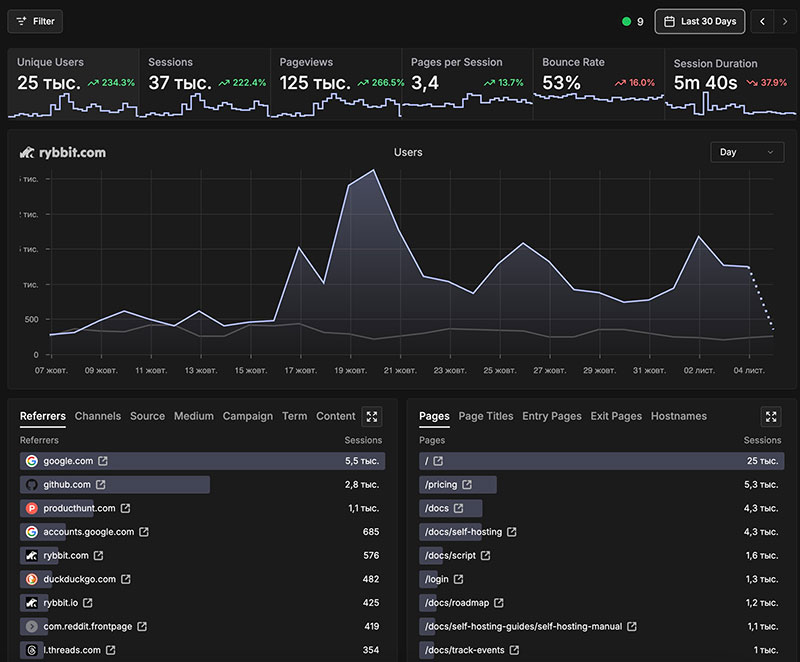
Rybbit is aimed at teams who want modern, GDPR-safe tracking with “just enough” depth. Its distinguishing feature is the timeline map of visitor flows, plus advanced segmentation, session and user breakdowns, period-over-period comparisons, and imports from GA, Plausible, Umami and PostHog. It’s cookieless and self-hostable. The trade is infrastructure: it runs ClickHouse and Postgres together, so its RAM floor sits closer to Matomo’s than to Umami’s, and the UI is dense for a small team. Note that the project has been tightening its hosted offering, so plan around the self-hosted build rather than a free cloud account.
Swetrix — analytics plus performance and error monitoring
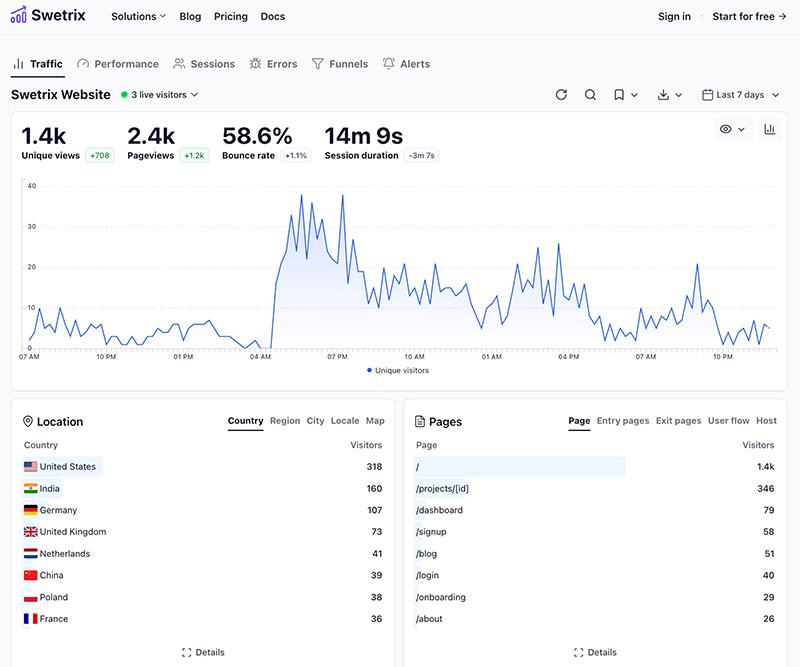
Swetrix pairs a clean dashboard with something none of the others bundle: page-performance monitoring and error logging alongside the traffic reports. Cookieless, open source, with UTM campaign support, user-flow visualisation, funnels, cohorts, ecommerce and custom events. It runs on ClickHouse, so budget accordingly, and the feature depth means it isn’t the first thing to hand a non-technical colleague.
OpenPanel — Mixpanel-style events, fully open source
OpenPanel sits in the same category as PostHog: product events, funnels, cohort filters and campaign tracking in one dashboard, cookie-free, with straightforward export and self-hosting. If PostHog’s 16 GB floor is the thing stopping you, OpenPanel is the lighter route to the same shape of reporting — fewer features, less machine. It is not a drop-in for a content site that only needs pageviews.
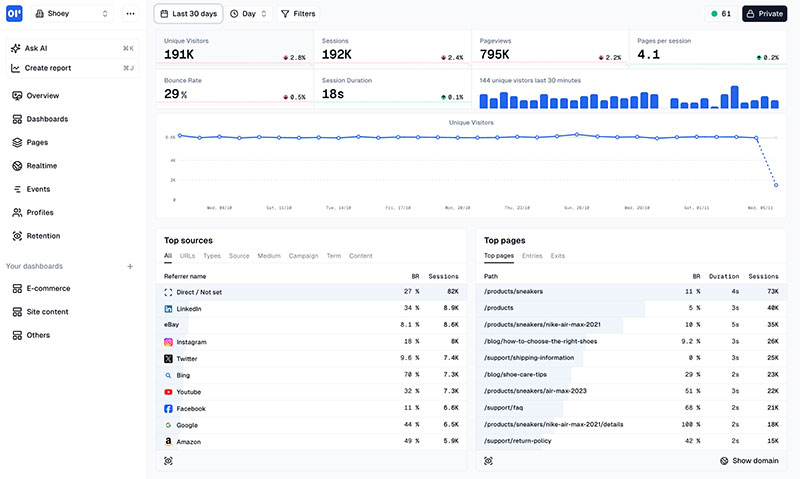
Litlyx — promising, but check the repository first
Litlyx is a young European project built around fast setup, cookie-free tracking and an AI-assisted dashboard, with Docker support and a WordPress plugin. It is worth knowing about — and worth a maintenance check before you put it on a production server. The main repository’s last public update was in December 2025, which is a long quiet spell for a project this young. On a self-hosted tool, that’s not a style question: you are the one who applies the security patches that don’t get written. Verify current activity on GitHub yourself before committing.
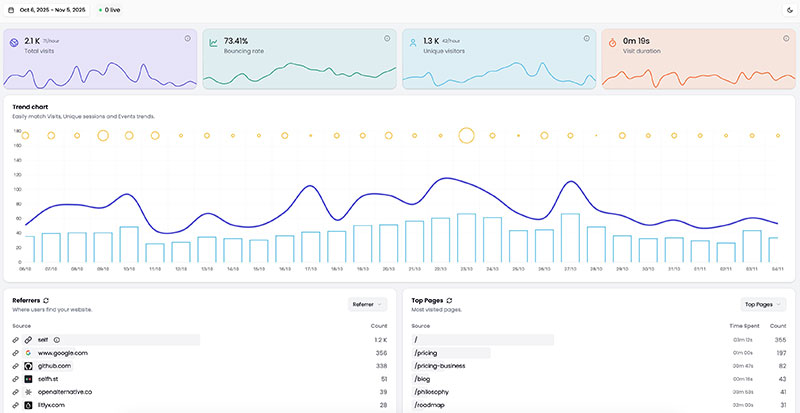
Ackee — a small Node.js counter
Ackee is lightweight and self-hosted, with no cookies and no user tracking: pageviews, referrers, device and source stats, plus custom events for things like newsletter signups. No heatmaps, no session recordings, by design. It suits Jamstack and static sites where you want a small Node service you fully control, and it asks less of you than Matomo. The depth ceiling is low, so pick it knowing that.
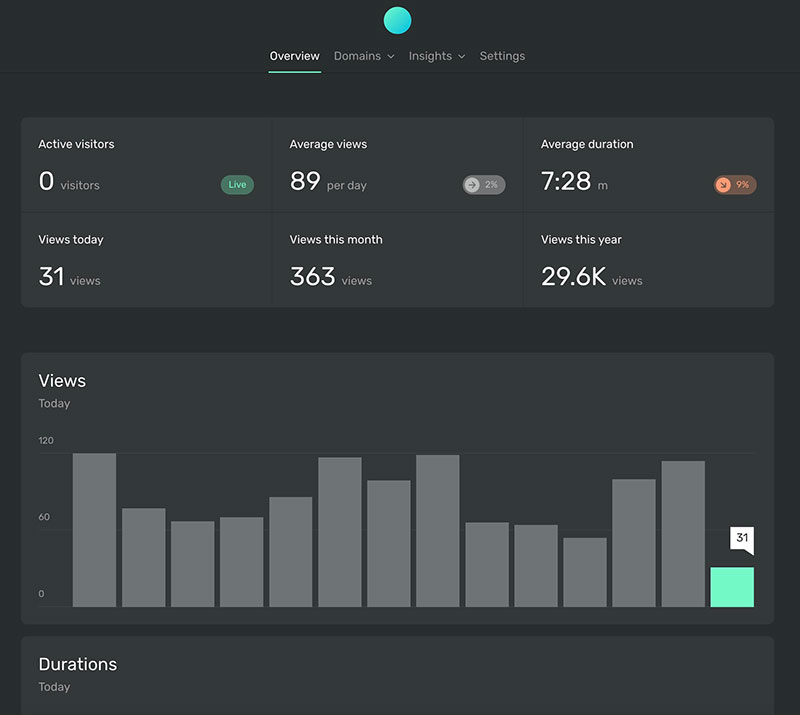
Databuddy — API-first, for developer teams
Databuddy targets teams that want maximum flexibility: real-time dashboards, goal and conversion tracking, funnel analysis, cohort filters, multi-tenant access control, and a full API for export and automation. The stack is Postgres + Redis with optional ClickHouse. It expects a developer to own it, which is either exactly what you want or exactly why you should pick something else.
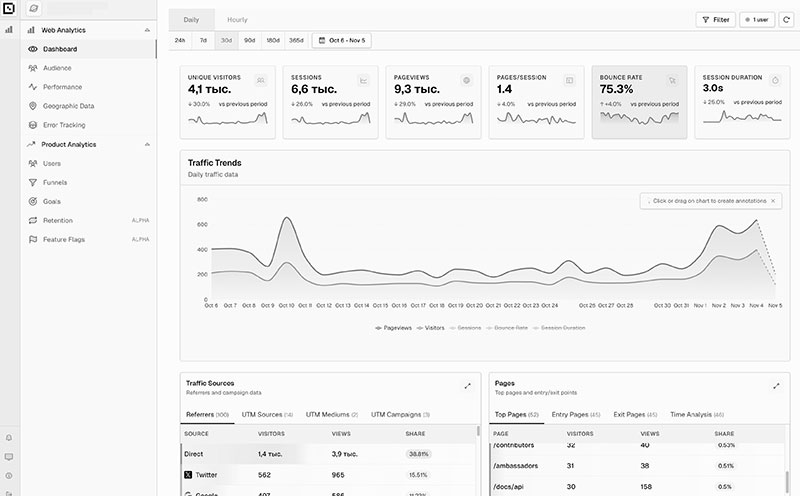
Feature comparison table
| Tool | Free to self-host | Custom events | Real-time | Funnels / cohorts | Privacy default | Ease of setup | Integrations |
|---|---|---|---|---|---|---|---|
| Umami | Yes | Yes | Yes | Limited | Cookieless | Very easy | Moderate |
| Plausible CE | Yes | Yes | Yes | Paid cloud tiers | Cookieless | Very easy | WordPress, Search Console |
| Matomo | Yes | Yes | Yes | Advanced | Configurable | Moderate | Extensive marketplace |
| PostHog | Yes | Yes | Yes | Advanced | Configurable | Developer | API-driven |
| GoatCounter | Yes | Some | Limited | None | Cookieless | Very easy | Basic |
| Rybbit | Yes | Yes | Yes | Advanced | Cookieless | Moderate | Growing |
| Swetrix | Yes | Yes | Yes | Advanced | Cookieless | Moderate | Good |
| OpenPanel | Yes | Yes | Yes | Yes | Cookie-free | Moderate | Custom |
| Litlyx | Yes | Yes | Yes | Yes | Cookie-free | Very easy | WordPress |
| Ackee | Yes | Yes | Yes | Limited | Cookieless | Easy | Basic |
| Databuddy | Yes | Yes | Yes | Advanced | Configurable | Developer | API-driven |
Two readings of that table. “Free to self-host” is a licence statement, not a promise about anyone’s hosted plan — several of these projects charge for cloud and some have narrowed or withdrawn free cloud tiers, which changes nothing about the code you run yourself. And “privacy default” describes what the tool does out of the box; every one of them can be configured into a less private setup if you go looking.
Decision matrix: traffic, budget, skill, compliance
A list is useless without a decision. Choosing self-hosted analytics comes down to four variables; here’s how each maps to a pick. Read across your row.
| Your situation | Pick | Why |
|---|---|---|
| Content site, <5M events/mo, want it done right | Plausible CE | Cookieless, cheap, low-maintenance default |
| Personal site or side project, want it free | Umami, or GoatCounter | Free tier or one small box, minutes to stand up |
| Need goals, funnels, ecommerce, attribution | Matomo | The one open-source tool with GA4 feature parity |
| Tracking product behaviour in an app or SaaS | PostHog, or OpenPanel if RAM is tight | Cohorts, replay, flags — not just pageviews |
| EU site, consent-banner-free is the priority | Plausible CE or Umami on an EU VPS | Cookieless plus in-region is the simplest GDPR posture |
If your row still feels ambiguous — say you’re between Plausible and Matomo — the tie-breaker is almost always features against simplicity. Don’t take on Matomo’s operational weight for features you won’t use. When in doubt, run the Stack Picker; it asks six questions and scores the tools against your answers.
Where do you run it: VPS sizing in one table
“Self-hosted” means you must run it somewhere, and the somewhere is almost always a VPS. The good news: these tools are light enough that a cheap European VPS covers nearly every case. The figures below are the floors I’d actually deploy on, mapped to the Hetzner SKUs you can order today.
| Tool | VPS floor | Spec | €/mo ex VAT | Deploy method |
|---|---|---|---|---|
| Umami | Vercel free tier | Serverless + Neon Postgres | no server bill | Git push, no server |
| GoatCounter | Hetzner CX23 | 2 vCPU / 4 GB | €5.49 | Single Go binary |
| Plausible CE | Hetzner CX23 | 2 vCPU / 4 GB | €5.49 | Docker Compose + Caddy |
| Matomo | Hetzner CX33 | 4 vCPU / 8 GB | €8.49 | PHP + MariaDB, or Docker |
| PostHog | Hetzner CX43 | 8 vCPU / 16 GB | €15.99 | Docker Compose, multi-service |
Two practical notes. Shared hosting is mostly a no — see the FAQ — because these stacks want Docker or a long-running process, and typical cPanel plans allow neither. And pick an EU region such as Falkenstein, Helsinki or Nuremberg if data residency is part of why you’re doing this in the first place.
The real three-year cost against GA4 “free”
GA4 is free in cash and expensive in everything else. The fair comparison is total cost of ownership over three years, because self-hosting front-loads setup time and then runs cheap. Rough numbers, Plausible CE on a CX23 as the example default:
- VPS: €5.49/mo × 36 = about €198 over three years, ex VAT.
- Setup: roughly 20–30 minutes once, following a recipe. Call it an hour with DNS propagation.
- Maintenance: a Docker pull and restart every couple of months for updates, plus a scheduled dump you actually test — see the backup and restore routine for a self-hosted instance, because an analytics database with no restore drill is a single disk away from being no analytics at all.
- GA4 equivalent: €0 cash, but sampled data, US data residency, consent-banner overhead, and zero ownership of the raw rows.
So the self-host bill is roughly €200 over three years for full data ownership and a clean GDPR posture — still less than a couple of months of most paid privacy-analytics cloud plans at moderate traffic. For the full breakdown across all five main tools, including the heavier PostHog math, use the three-year self-hosted cost calculator. The point isn’t that self-hosting is always cheaper — at tiny scale a cloud free tier wins on cash — it’s that the cost is fixed, predictable, and you know exactly what you’re paying for.
When self-hosting is the wrong call
I’ll lose some readers here, and that’s the point — nobody else in these search results will tell you not to do it. Self-hosting is the wrong call when:
- You’re under roughly 10k events a month with no GDPR pressure. A free or entry cloud tier is genuinely fine. You’d be spinning up a server to solve a problem you don’t have.
- Nobody on the team can SSH into a box. Self-hosting means you own uptime, backups and security patches. If a broken analytics server on a Sunday is a crisis with no one to fix it, the maintenance burden outweighs the ownership win — pick a managed tool.
- You need GA4’s ad-platform integrations. If your reporting depends on Google Ads conversion import or the Google Ads audience handshake, no self-hosted tool replicates that — it’s the one thing GA4’s lock-in actually buys you. If that’s your situation, stay put and do it properly: here’s adding the GA4 tracking code the way it should be done.
- Your traffic is genuinely huge and spiky. Above tens of millions of events a month, keeping ClickHouse healthy under load is real engineering work. At that scale, do the math honestly — managed might win on total effort.
If none of those describe you, self-hosting is the right call and the rest is picking a tool and following a recipe.
What about the tag layer and the consent banner?
Once you’ve replaced Google Analytics with a self-hosted tracker, two follow-up questions usually surface. First, the tag layer. Most teams keep GTM by default, but leaving it on a third-party CDN reintroduces the same ad-blocker losses, GDPR exposure and LCP overhead you just escaped — the category and its trade-offs are laid out on our self-hosted tag manager hub, and the head-to-head sits in 7 self-hosted GTM alternatives, covering Matomo Tag Manager, Cloudflare Zaraz, self-hosted server-side GTM, Piwik PRO, Stape, Adobe Launch and Snowplow Community with install costs and a decision wizard.
Second, the consent banner. Most of the tools above can be configured to skip it entirely under the EU “anonymous audience measurement” exemption. We covered the working setups in 5 self-hosted cookieless tracking recipes, with the exact configuration that qualifies for the CNIL exemption.
Third, once you’ve picked Plausible specifically and want to ship advanced events: Plausible funnels via ClickHouse SQL covers custom events, the two-field revenue payload, Stripe webhook integration with idempotency, refund handling, and the SQL queries that reproduce the paid Funnels feature on a self-hosted instance.
Your next step: pick, deploy, price it
The whole point of this page is that it ends in an action, not a list. Here’s the path:
- Pick using the decision matrix above — or run the Stack Picker if you want it scored for you.
- Deploy with the matching recipe: install Plausible on a Hetzner box, self-host Matomo, deploy Umami, or PostHog in Docker. Browse the full install-recipe library for the complete set.
- Know the cost before you commit, with the three-year self-hosted cost calculator.
If consent and cookies are the heart of why you’re moving off GA4, read the cookieless tracking patterns next — that’s where the GDPR story gets concrete. Otherwise: pick one, deploy it, own your data.
FAQ
What is the best self-hosted Google Analytics alternative?
For most sites, Plausible Community Edition is the best self-hosted Google Analytics alternative: it’s cookieless, AGPL-3 open source, light enough to run on a €5.49/mo VPS, and it covers the pageviews-and-sources reporting that the majority of sites actually use. “Best” is conditional, though. If you need GA4-style goals, funnels and ecommerce attribution, Matomo is the better fit. If you want the lightest possible setup, Umami on a free tier or GoatCounter on one small box win. And if you’re tracking product behaviour in an app rather than web stats, PostHog is a different category entirely. The right answer depends on traffic, budget, required features, and how much server maintenance you’re willing to own — the decision matrix on this page maps each situation to a pick.
Is there a free open-source alternative to Google Analytics?
Yes — several, and all the major self-hosted options are open source. Umami (MIT) is genuinely free to run on Vercel’s free tier with a Neon database, so there’s no monthly bill at indie scale. Plausible CE (AGPL-3), Matomo (GPLv3), PostHog (MIT) and GoatCounter (EUPL-1.2) are all free software too — you don’t pay a licence fee, you only pay for the server you run them on. So “free” splits in two: the software is free; the hosting is the cost, and it ranges from nothing on a serverless free tier to €15.99/mo for PostHog on a 16 GB box. Open source also means you can read, patch and query the code and data directly, which is the deeper kind of free.
Can you self-host Google Analytics itself?
No. Google Analytics 4 is a closed, hosted SaaS product — there is no on-premise edition, no source code, and no licence you can buy to run GA4 on your own server. Universal Analytics never had one either. When people search for “self-hosted Google Analytics,” they actually want an open-source alternative to GA4 that they can run themselves: Plausible, Matomo, Umami, PostHog or GoatCounter. The only thing you can self-host that still touches Google’s stack is a server-side tag manager or proxy — but that forwards data to GA4, so it doesn’t give you data ownership. If owning your data is the goal, the answer is always an alternative tool, never GA4 itself.
How much does it cost to self-host analytics compared with GA4?
GA4 costs nothing in cash but charges you in sampled data, US data residency and zero ownership of the raw rows. A self-hosted alternative costs a fixed, predictable VPS bill instead. Plausible CE on a Hetzner CX23 is €5.49/mo ex VAT — about €198 over three years — plus an hour of one-time setup and a few minutes of maintenance per quarter. Umami can run with no server bill at all on Vercel’s free tier; GoatCounter needs the same small box as Plausible; Matomo wants a CX33 at €8.49/mo; PostHog wants a CX43 at €15.99/mo because it runs ClickHouse, Postgres and Redis together. The honest summary: at tiny scale GA4 or a cloud free tier wins on cash, but self-hosting buys fixed costs and full data ownership. The three-year cost calculator on this site breaks down every tool.
Is self-hosted analytics GDPR-compliant by default?
Mostly, but not automatically — it removes the hardest problem rather than every problem. Hosting on an EU VPS keeps visitor data in-region, which sidesteps the cross-border-transfer issue that led the CNIL and Austria’s DSB to rule against Google Analytics in 2022. Several tools also set no tracking cookie and keep no persistent visitor identifier, which means no consent banner is legally required under most EU interpretations. But you’re now the data controller, so you still switch on IP truncation, set a sane retention period and document your processing. Self-hosting hands you the levers; compliance is you pulling them. It’s a far stronger starting posture than GA4, just not a checkbox.
Which self-hosted analytics tool is easiest to run?
Umami is the easiest by a wide margin because it doesn’t need a server at all: you deploy it to Vercel’s free tier with a Neon Postgres database, push from git, and you’re live in about five minutes with no Docker, no TLS config and no cron. The trade-off is that your data sits on US infrastructure unless you pay for EU edge. After Umami, Plausible CE is the easiest real-server option — one Docker Compose file behind Caddy for automatic HTTPS, about 20 minutes on a Hetzner box. Matomo (PHP + MariaDB) and especially PostHog (a multi-service Docker stack) are meaningfully more work to stand up and keep healthy, which is the price of their bigger feature sets.
Do I need a VPS to self-host analytics, or can I use shared hosting?
You almost always need a VPS, not shared hosting. These tools run as long-lived processes or expect Docker, or a PHP runtime you control in Matomo’s case — and typical cPanel shared plans block long-running processes, Docker and root access, so they can’t run the stack properly. The cheapest path that does work is a small European VPS: a Hetzner CX23 at €5.49/mo runs Plausible CE comfortably for any site under roughly 5M events a month. The one exception is Umami, which dodges the question entirely by deploying serverless to Vercel’s free tier with a Neon database — no VPS, no shared hosting, no server at all.
Ready to take action?
If you came here because you want to leave Google Analytics, the next step is picking which self-hosted tool fits your stack.
Server and vendor prices re-checked against the Hetzner price API on 13 August 2026.
Found this useful?
Try the Stack Picker to get a personal recommendation, or browse the install recipe library.